Vault Architecture
Structure notes, projects, source material, prompts, and outputs so Claude Code can find the right context without you rebuilding it every session.
Turn your Obsidian vault into Claude Code's memory layer, then use it as the backend for repeatable AI workflows.
The core idea
Most people keep notes in one place and ask AI questions in another. In this workshop, we'll connect those worlds: your vault holds the context, Claude Code does the work, and the finished outputs go back into the system.
This vault is my working memory. Read project notes before recommending action, save finished work to outputs, and improve repeatable workflows when patterns emerge.
Structure notes, projects, source material, prompts, and outputs so Claude Code can find the right context without you rebuilding it every session.
Use a lean vault-level CLAUDE.md for the personal-assistant use case: who you are, what matters, and how the vault should be handled.
Turn daily notes, research captures, and project notes into reusable workflows for content, planning, research, client work, and operations.
Use the vault as the backend for a simple AI command center: dashboards, launch buttons, skill prompts, and finished outputs in one place.
The webinar arc
The first half is about using Claude Code with your vault correctly. The second half turns that vault into a visible AI command center so the system is easier to run.
The practical setup: folder structure, CLAUDE.md, project notes, prompt libraries, source material, and how to ask Claude Code to work across the vault.
The build: turn the vault into a working command layer with dashboards, reusable workflows, skill prompts, and outputs that land back in Obsidian.
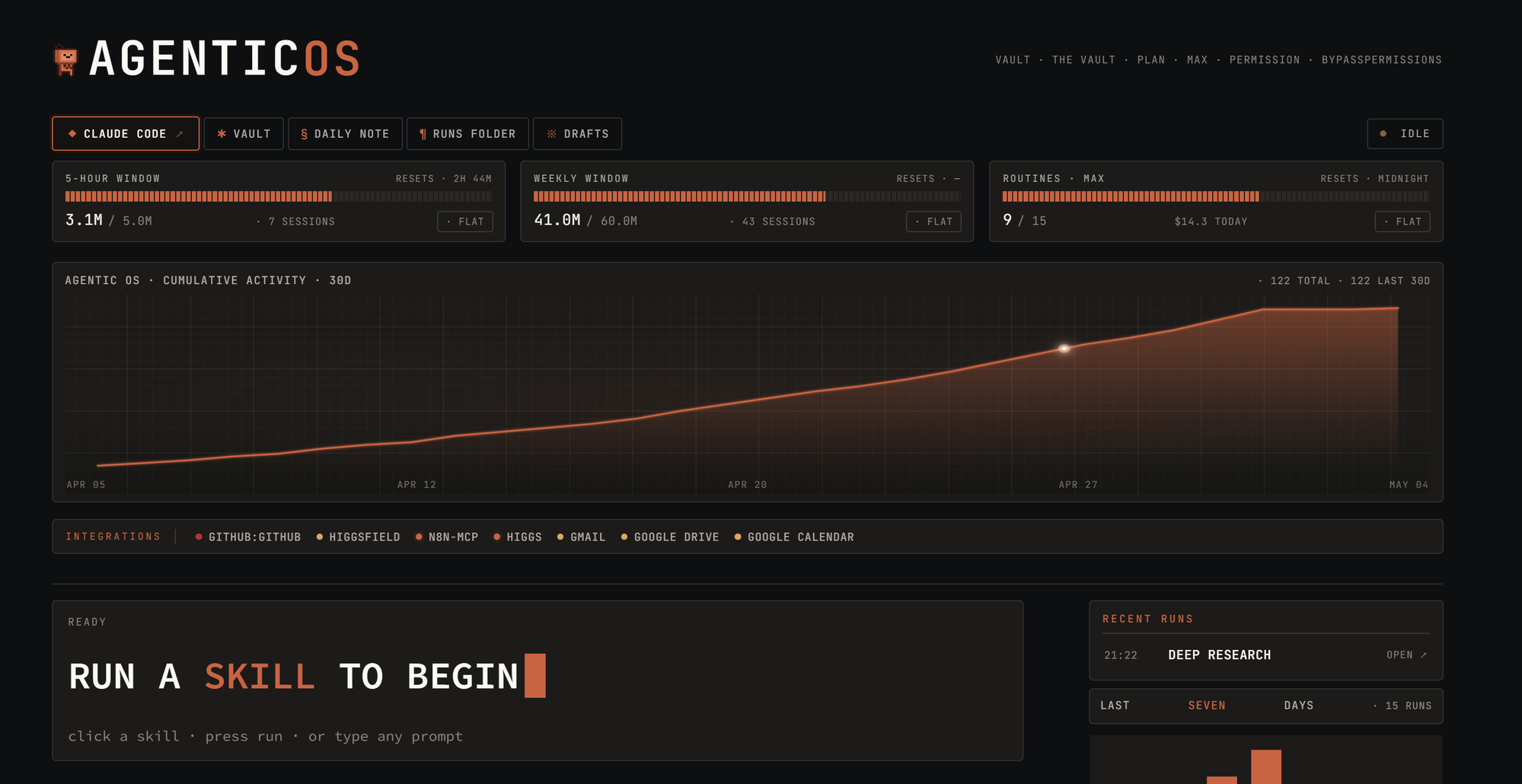
Implementation preview
We'll keep the Obsidian setup as the center of gravity, then show how the same structure can power a simple command layer for workflows, skills, and outputs.
Free live workshop
Register once, then the confirmation page will point you to the Skool room, calendar link, and prep assessment.